How it works
Three steps from messy supplier file to Shopify-ready products.
Upload
Drop your CSV, XLSX, or XLS file. Portaim detects encoding, headers, and sheets automatically.
Map, validate, fix
AI maps columns to Shopify fields. 40+ rules catch errors. One-click fixes and smart suggestions resolve issues.
Export
Download a clean Shopify-formatted CSV or export directly to your store via API.
Built for Shopify merchants who import products
If you receive product data from suppliers and need to import supplier CSV/XLSX files into Shopify, Portaim is for you.
Dropshippers
Importing catalogs from multiple suppliers with inconsistent formats, languages, and data quality.
Store owners
Adding new product lines from wholesalers without spending hours reformatting spreadsheets.
Repeat importers
Getting updated catalogs monthly from the same supplier. Save your mapping template and reuse it instantly.
Probably not for you if:
- You import products only once or twice a year
- Your supplier files are already in Shopify's CSV format
- You already have an import workflow you're happy with
Without Portaim vs. with Portaim
- • Open supplier file in Excel, figure out which columns map where
- • Manually rename headers to match Shopify's CSV template
- • Fix price formats, status values, weight units row by row
- • Upload to Shopify, get cryptic errors, go back and fix more
- • Repeat for every supplier, every month
- • Upload file — AI maps columns automatically, even in other languages
- • 40+ validation rules flag the issues Shopify would reject
- • One-click auto-fix for prices, formatting, status values
- • Download a Shopify-ready CSV with common import errors already caught
- • Save your mapping — next month's file from the same supplier reuses it automatically
Working with supplier spreadsheets regularly? Read the guides: Import supplier CSV files into Shopify, Split variant columns into Shopify options, or Bulk-import Shopify image galleries.
Skip the column-by-column cleanup
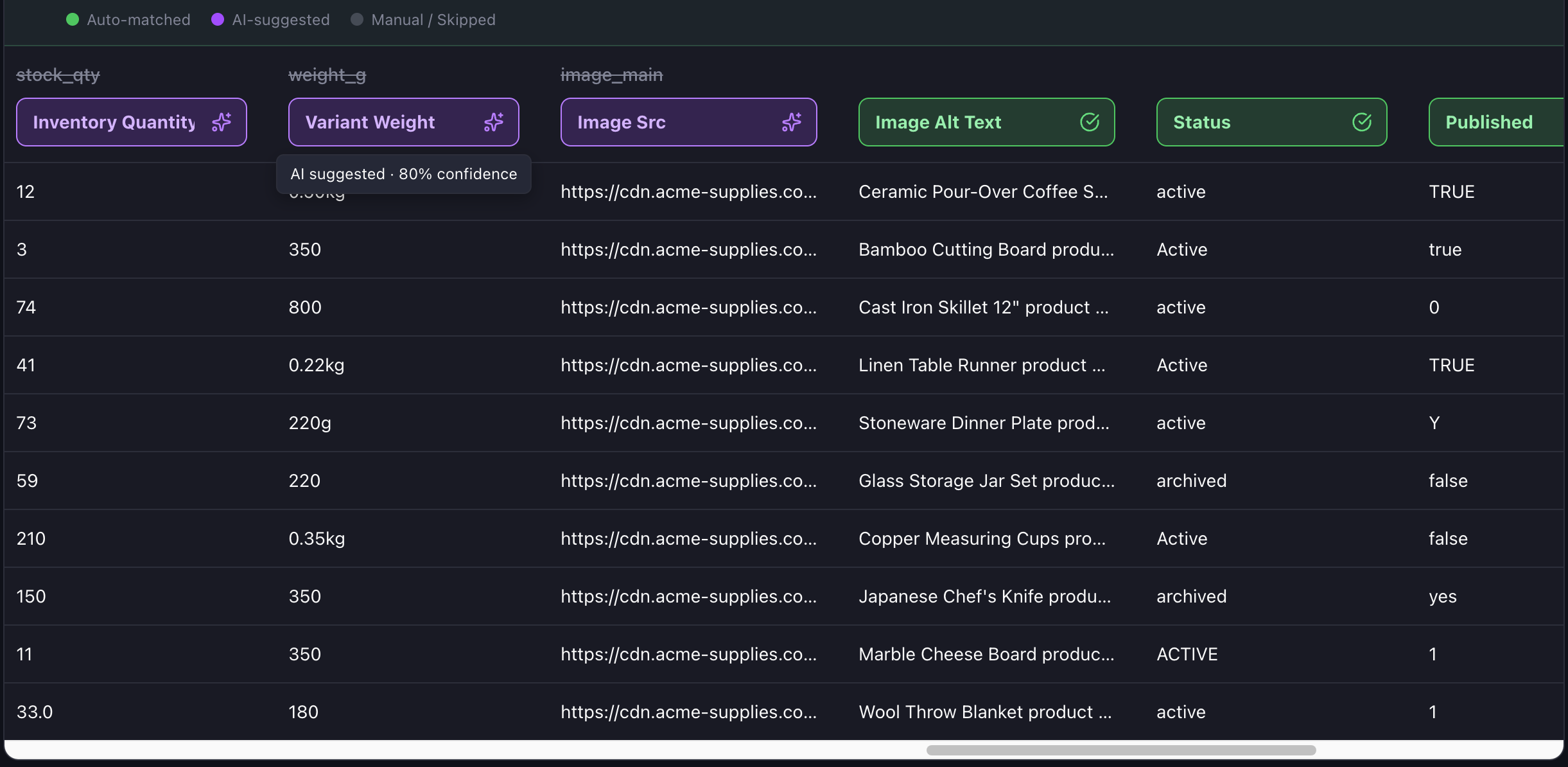
Drop a supplier file and AI maps every column to its Shopify field — combining split category columns, expanding image galleries, and naming your variant options as it goes. Preview exactly what Shopify will receive, tweak anything, and you're done.
See every issue before you export
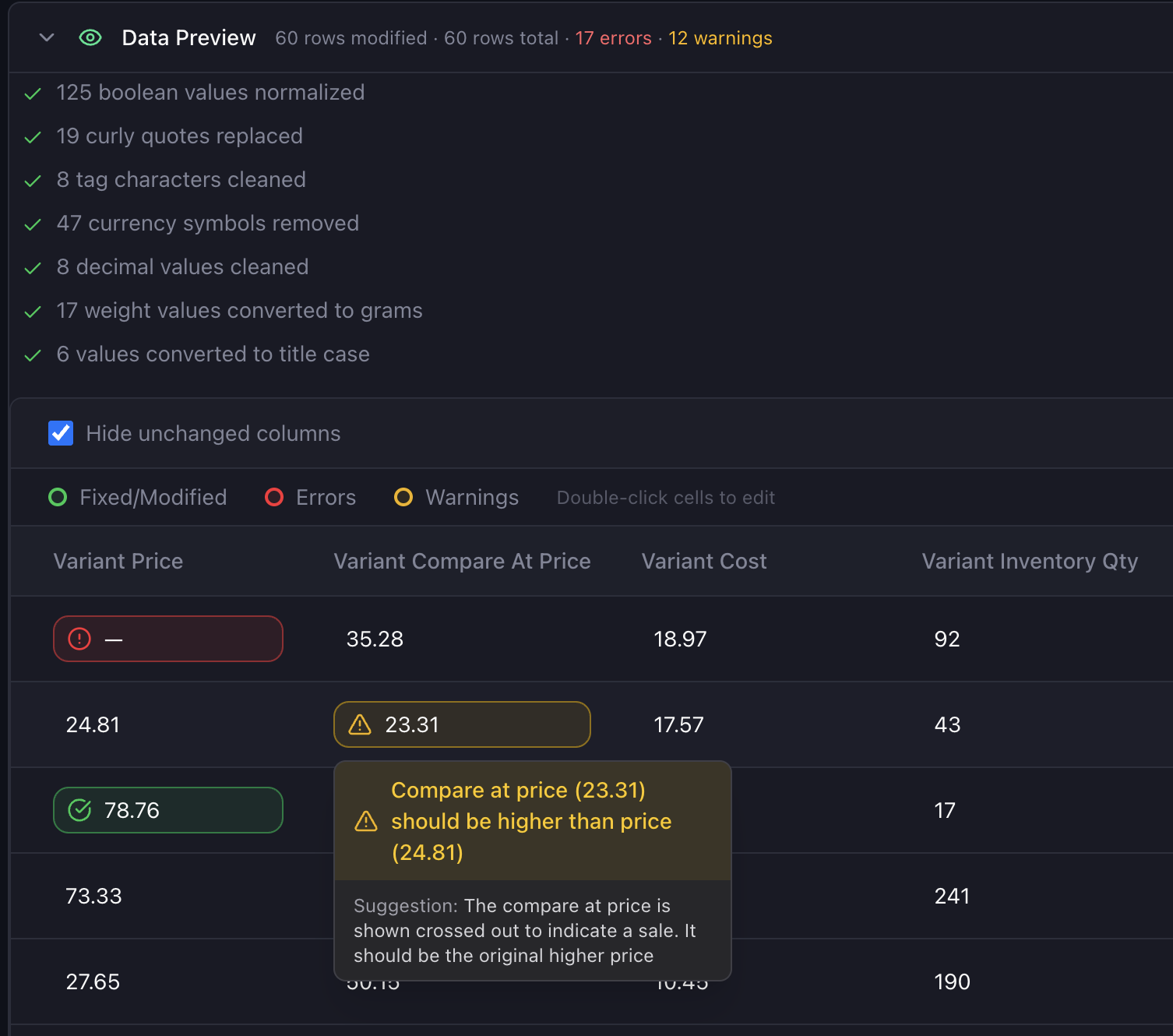
40+ rules check each cell against what Shopify enforces — duplicate SKUs, invalid prices, broken image URLs, missing required fields. Common formatting issues fix themselves automatically; the rest are flagged inline so you can resolve them before upload, not after a failed import.
Works in your supplier's language
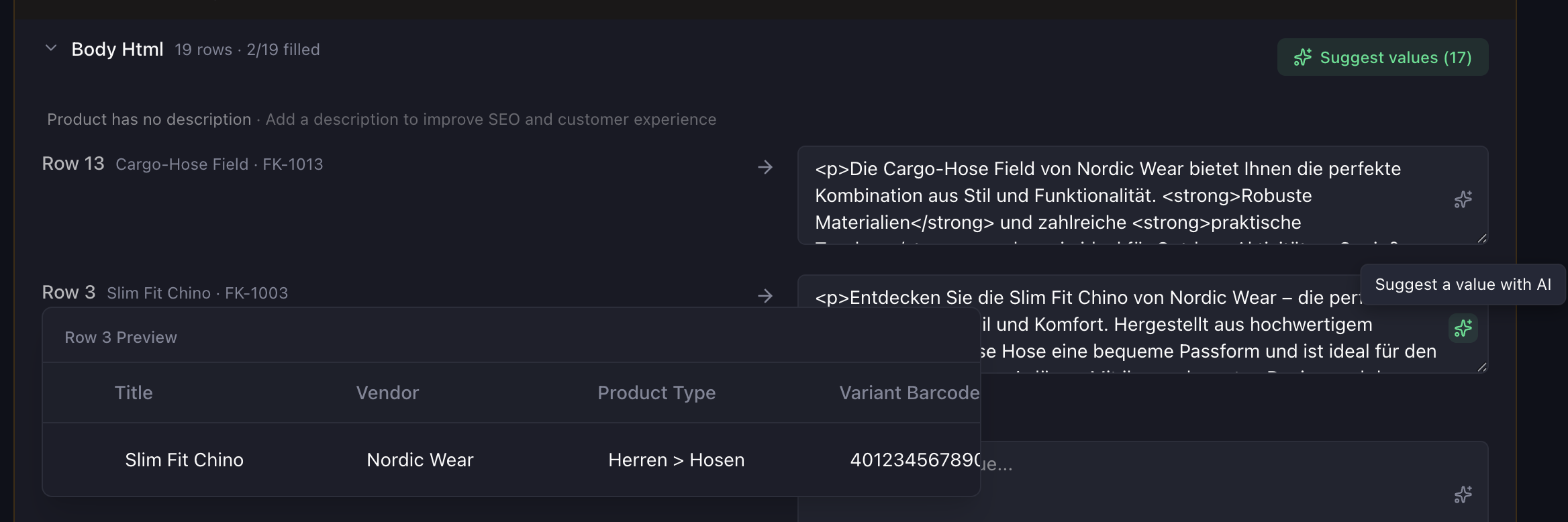
When AI fills in missing titles, descriptions, or alt text, it writes them in the same language as the file. German supplier file? German product copy. French file? French. No translation step before or after.
Push to Shopify, or download a clean CSV
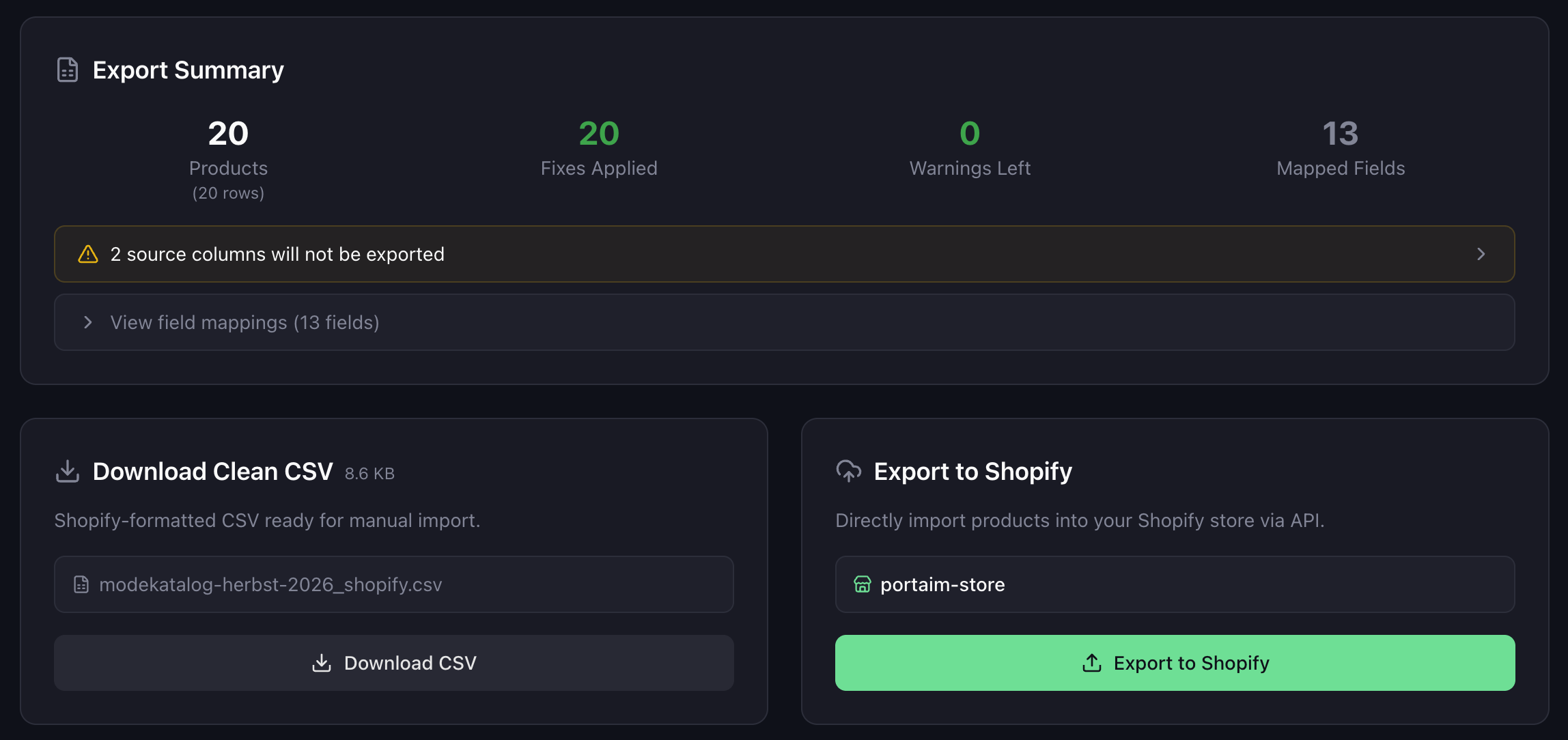
When the file's clean, push products straight to your Shopify store via API — no manual import step. Or download a Shopify-ready CSV if you'd rather upload it yourself or review it first. You're not locked into either path.
Free plan
All features included. No credit card. Paid plans coming later.
- AI column mapping
- Shopify-specific validation
- Auto-fix + AI suggestions
- CSV download + direct Shopify export
- Smart issue resolution
Frequently asked questions
What file formats are supported?
CSV, XLSX, and XLS files. You can pick the specific sheet and header row during upload.
Do I need a Shopify store?
No. You can download a clean CSV formatted for Shopify and import it manually. Or connect your store for direct one-click export.
Is my data safe?
Yes. Files are stored in secure cloud storage with presigned URLs. Your data is never shared or used for training.
How does AI column mapping work?
Portaim analyzes your column headers and sample data, then suggests which Shopify field each column maps to. Common columns are matched automatically, less obvious ones get AI-powered suggestions you can accept or adjust.
What are the free plan limits?
10 imports per month, 1,500 processed rows per month, and individual files can be up to 10,000 rows. 'Processed rows' means data rows (header excluded) actually imported, not lines in the file.
What does Portaim cost?
Portaim is free. Paid plans with higher limits are coming soon. If you need more than the free limits right now, contact us at contact@portaim.com.
Still have questions? Email us at contact@portaim.com or use the chat in the bottom-right corner.
Stop fighting spreadsheets. Start importing.
Free plan available. No credit card required.